Google Business Profile Setup and Management Guide - Ziwi

Set up and manage your Google Business Profile.

The one page that decides whether the map shows you at all. Ten pages: claim it, verify it, fill in every field that matters, and keep it alive with a routine that takes about an hour and a half a month. Every template written out in full. Free, sent to your inbox.

What is inside

Nine sections, ten pages

01
Claim it and verify it.

Four moves to claim, the four ways Google verifies, and how to pass the video check most new profiles now get.

02
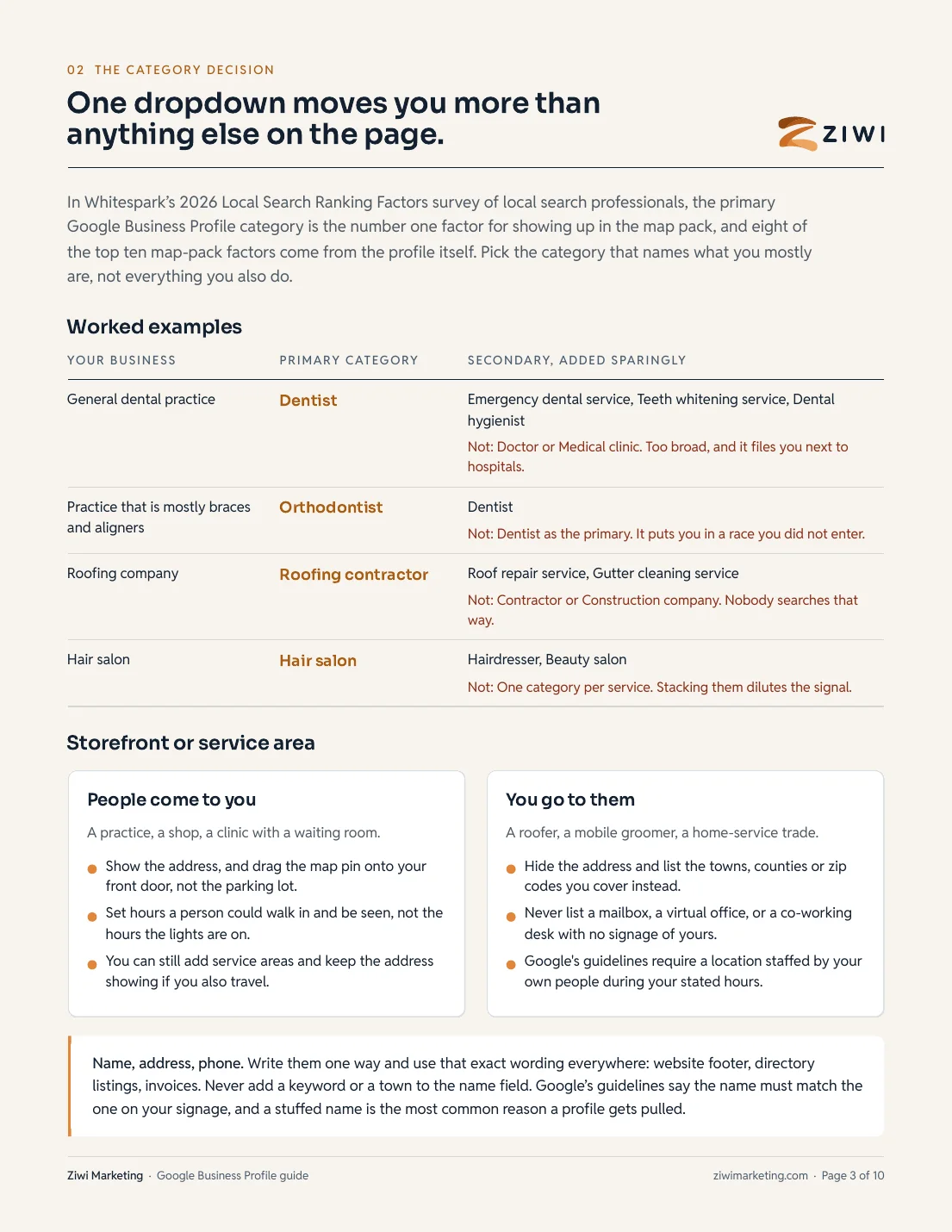
The category decision.

The primary category is the number one map-pack factor (Whitespark 2026). Worked examples, and storefront versus service area.

03
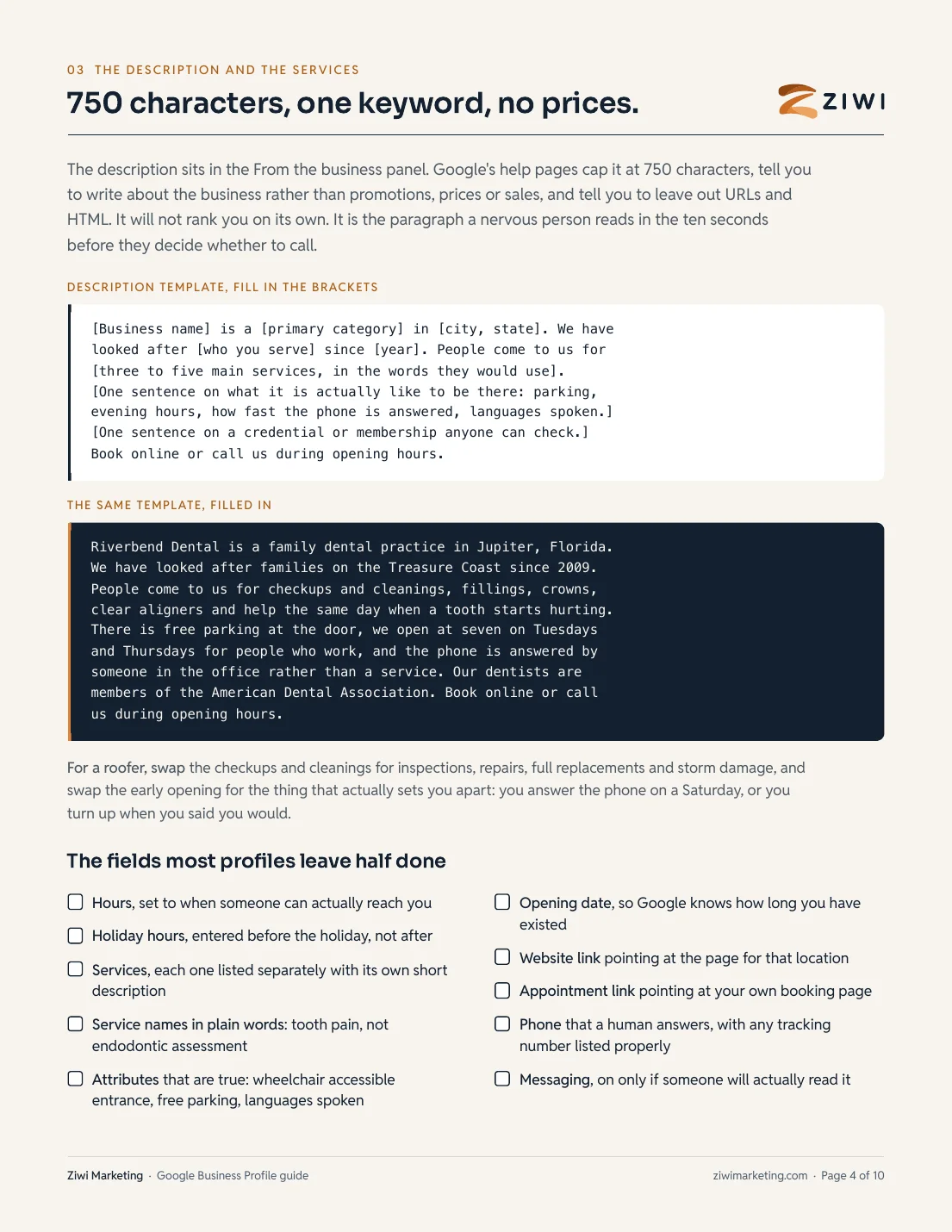
The description and the services.

A 750-character template, the same template filled in, and the fields most profiles leave half done.

04
Real photos, and your own questions.

The shot list with counts, the HIPAA release rule, and eight questions to post and answer yourself.

05
The routine and the reviews.

A cadence table with time per task, what to post and skip, the review ask text that stays inside the FTC rules.

06
Suspension, and the monthly checklist.

What sets a suspension off, the five reinstatement steps, and the fifteen-item monthly checklist to pin by the desk.

See the checklist

Written for dental offices first and any local business second. Every number carries its source. Prices printed: setup $450 one time, ongoing local SEO from $297 a month.

Get the guide

The full ten-page PDF in your inbox in a minute, and open right here.

Free. Print page nine and pin it by the desk.
Free preview

The monthly checklist: fifteen things to check, once a month.

Page nine of the guide, in full. Everything in the order you would actually do it. Put it on the same day each month and give it to one named person.

01

Reviews answered

Every new review answered, none older than a week.

02

Questions answered

Every new question answered from the business account.

03

Hours checked

Hours checked against next month's calendar.

04

Holiday hours entered

Holiday hours entered for anything coming up.

05

New photos added

Three to five new photos added, shot this month.

06

Two posts published

Two posts published since last time.

07

Services list complete

Services list still complete, nothing retired still showing.

08

Description accurate

Description still accurate and still under 750 characters.

09

Primary category right

Primary category still the thing you mostly do.

10

Links clicked

Website and booking links clicked and confirmed working.

11

Phone test-called

Phone called from a mobile and answered by a person.

12

Edits reviewed

Suggest-an-edit emails reviewed, wrong edits reverted.

13

Name, address, phone matched

Name, address and phone matched against the website footer.

14

Messages replied

Messaging checked and every message replied to.

15

Four numbers written down

Calls, direction requests, website clicks and searches that found you, read and written down.

Would you rather we did it?

An afternoon and a monthly hour, or set up once for a price we print.

Two ways to get the profile right. Follow the guide and it costs an afternoon, then about an hour and a half a month. Or we set the whole thing up once for $450, and keep it alive from $297 a month if you want it managed.

Do it yourself
$0an afternoon, then about 90 minutes a month

This guide is the whole method. Four things to watch: the primary category, a fresh verification after any name or address change, the wording of your review asks, and the monthly checklist.

Have Ziwi set it up
$450one time

Claim or create, verification including the video, primary and secondary categories, the description, services with descriptions, your photos uploaded, the first questions seeded, booking and messaging wired, hours set, and a 30-day check-in. The logins stay yours.

Prices and plan terms published here are exact and match our internal pricing catalog; they are not promotional or subject to change after a sales call. Ad spend is billed separately and paid directly to the platforms.

Questions

About the guide

Short answers. If yours is not here, ask us on the call and we answer directly, including when the answer is no.

Is the guide really free?

Yes. Add your name and email and the PDF opens right here and lands in your inbox. Two short follow-up notes come after it, each with a link to stop them. If you would rather we did the setup, the price is on this page too.

Why does the category matter so much?

In Whitespark's 2026 Local Search Ranking Factors survey the primary Google Business Profile category is the number one factor for showing up in the map pack. Pick the one that names what you mostly do, not everything you also do.

What is video verification?

Google now assigns most new profiles a live, one-take video: the street and your signage, the door, the inside, your equipment, and you proving you manage the place. Pre-recorded files are not accepted. Page two walks through it.

Can I offer a discount for reviews?

No. The FTC rule on consumer reviews, in effect since October 21, 2024, bans paying or rewarding anyone for a review with a particular sentiment, and bans only sending the link to people who said the visit went well. The guide's ask text stays inside both rules.

What is included in the $450 setup?

Claim or create, verification, categories, the description, services with descriptions, your photos uploaded, the first questions seeded and answered, booking and messaging wired, hours and holiday hours, and a check-in at 30 days. You own the profile and every login.

And after the setup?

Local SEO from $297 a month covers the posts, the review asks and replies, the profile upkeep and a monthly report in plain English. Month to month, like everything else we sell.