The Ziwi client portal

We do the marketing. You watch it work.

One login shows every new lead and every tracked call the day it happens, and where you rank on Google each week.

  • Month to month
  • You own your accounts
  • Every price on our pricing page
app.ziwimarketing.com
The Ziwi client portal open on a sample dental practice: the leads list, each lead with a phone number, a source and a stage.

The real portal, filmed on a made-up practice. Every name and number is sample data.

Inside your login

What is the Ziwi client portal?

The Ziwi client portal is the website you log into to see your marketing. It shows each new lead and where it came from, every tracked call and where you rank on Google. You can also point at changes on your website and ask us for help. Ziwi does the work. The portal lets you watch it any day.

The portal home screen: the Leads, Calls and Closing rate tiles count up and the Where leads come from bars fill in.

The month on one screen

Your leads, your calls, your closing rate and where every lead came from.
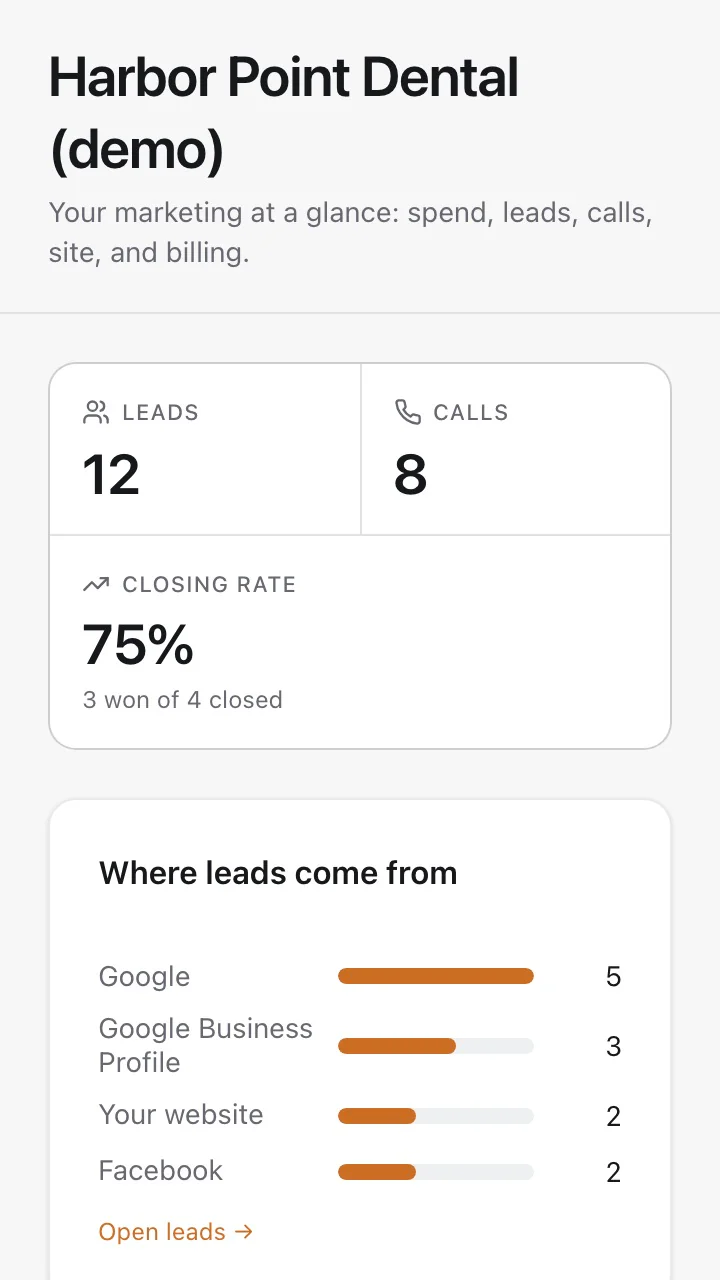
The portal home screen on a phone: the Leads, Calls and Closing rate tiles and the Where leads come from bars.

On your phone, too

It works in your phone's browser. There is nothing to install.

Sample data from Harbor Point Dental, a made-up practice. Calls show for clients with call tracking connected.

01Leads

Know who to call back.

Each lead lands with a name, a phone number, where it came from and a stage.

The Leads list in the portal: a new lead, Maria from Google, lands at the top with her phone number and the stage New, and the count goes from 11 to 12.
New leadMaria from Google, 1 hour ago
02Calls

See which calls got booked.

Every tracked call shows who called, what sent them, how long you talked and how it ended.

For clients with call tracking connected.

The Calls list in the portal: a new call from Rosa lands at the top with its source, Google Ads, the talk time and the outcome Booked.
BookedRosa from Google Ads, 3:34
03Rankings

See where you rank on Google.

We check the searches you care about every week. When one moves, you see it that week.

The Rankings table in the portal: the search dental implants tampa climbs from number 9 to number 3 and shows up 6 for the week.
Up 6 this weekdental implants tampa, now #3

Sample data from a made-up practice.

Where leads come from

Know what brought each lead in.

See which search, ad or listing brought in each lead and each call. Open a lead and it is right there.

A click on Maria in the Leads list opens her lead page: her phone number, the stage, the source Google, the campaign name and the day and time she came in.
  1. 1
    Source

    Google, your Business Profile, Facebook, an ad or your website.

  2. 2
    Campaign

    The name of the ad campaign, when the click came from a tagged ad.

  3. 3
    Came in

    The day and the time the lead reached you.

Sample data from a made-up practice. Calls show their source too, for clients with call tracking connected.

Website feedback

Point at it. We change it.

Open your new website, click the spot you want changed and leave a note. No long emails, no guessing which button you meant.

  1. 1Point at it

    Click anything on your site: a heading, a photo, a button.

  2. 2Leave a note

    Type the change. A numbered pin stays on that exact spot.

  3. 3Watch it get done

    We reply under your note and its status changes as the work moves.

The feedback tool on a sample dental website: the phone button is clicked, the note Can the phone number be bigger here is typed and saved, and pin 8 appears on the button.
The feedback panel on the website: comment 2 is opened, a reply from Noah from Ziwi appears under it and its status changes from In progress to Done.

Every note shows where it stands

  • SentWe have your note.
  • In progressWe are working on it.
  • DoneThe change is made.
  • Not changingLeft as it is.
24hours

Website change requests are turned around within 24 hours.

Filmed on a sample dental website with made-up comments.

Working with us

The small stuff, in one place.

Ask a question. See the answer.

Open a ticket from the portal. Every reply stays in one thread.

  • Open, Pending and Closed at a glance
  • See who answered and when
  • Know when it is closed
Support in the portal: the ticket Update our Friday hours is opened, the reply from Noah arrives in the thread and the status moves from open to closed.

Watch your new site come together.

Seven steps from order to launch. Send photos from your phone and see which ones we approved.

  • Seven steps, from order received to live
  • Upload photos from your phone
  • Approved, or a note asking for a retake
The website build tracker moves from Quality control to Draft ready to review, then on the photo checklist one photo turns Approved and another shows a note asking for a retake.

Send it once.

Logos, photos and documents live in shared folders, both ways.

  • Folders for photos, logos and documents
  • What you sent and what we sent back
  • Drag and drop from your computer
Files in the portal: the Website photos folder gains a new photo, exterior.jpg, and the count goes from 4 to 5.

Your site, looked after.

Hosting active, plugins up to date, every update logged.

  • Hosting status at a glance
  • Which plugins are up to date
  • Every update in the history
The website's hosting page in the portal: 3 outdated plugins become 0, Everything current, as Updated 3 plugins lands in the history beside Status Active.

Sample data from a made-up practice.

Alerts

Know the moment a lead lands.

A new lead reaches your inbox the moment it lands, with your logo and your colors. The bell in the portal keeps the list.

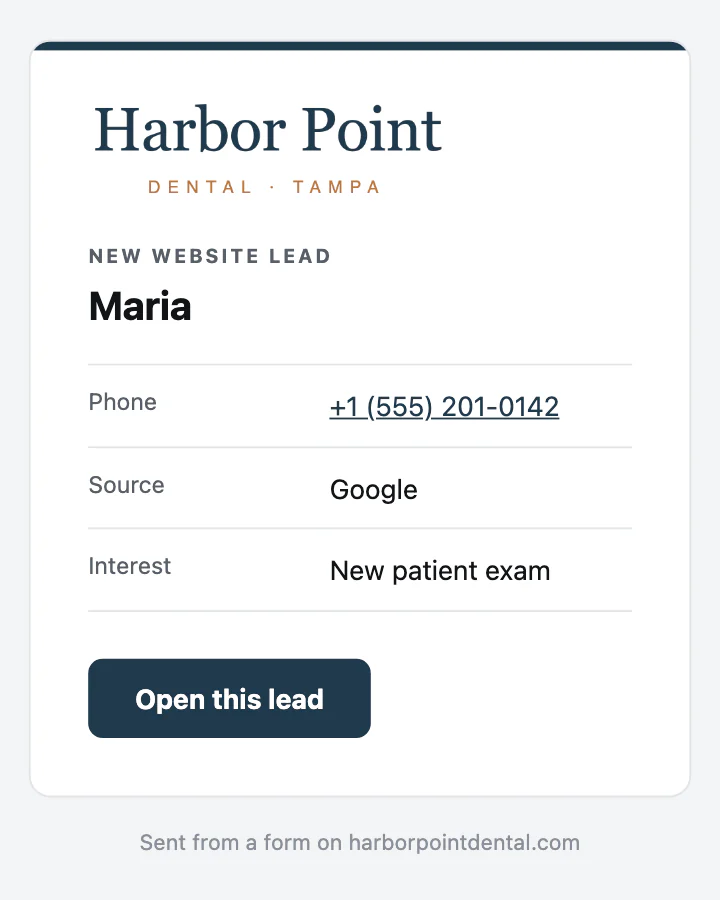
  • Your logo and colors on every lead email
  • The lead's name, phone and source
  • Every alert kept in the bell list
The bell in the portal is clicked and the notification list opens with New lead: Maria at the top.
The new-lead email for Maria, sent in the sample practice's own logo and color, with her phone number, the source Google and an Open this lead button.

Sample data from a made-up practice.

Connections

Built around the tools you already use.

Your accounts stay in your name. The portal reads from them and never replaces them.

Connected todayNext up

  • Square
  • Stripe
  • Mailchimp
  • Yelp
  • YouTube
  • TikTok
  • Microsoft Ads
  • WordPress
  • Business Profile
  • Google Analytics
  • Microsoft 365
  • Search Console
  • HubSpot
  • Google Workspace
  • Calendly
  • QuickBooks
  • Website forms
  • CallRail
  • Google Ads
  • Meta ads
Your Ziwi portalOne login
Report or login

A monthly PDF, or any day you like.

A monthly PDF report

  • Arrives after the month is over
  • Totals, not the people behind them
  • You wait for someone to send it
  • Questions wait for the next one

Your Ziwi login

  • New leads the day they land
  • Each lead's name, source and stage
  • Every tracked call and how it ended
  • Rankings checked every week
How you get it

Your login in three steps.

It starts with a 20 to 30 minute call. After that it is month to month, and every price is on our pricing page.

  1. Step 1: Book a discovery call

    Pick a day and a time that suit you. We look at how you get customers today and what we would do.

  2. Step 2: Pick a plan

    Month to month. Every price is printed on our pricing page.

  3. Step 3: Log in and watch

    Leads and calls show up as they come in. Rankings update after each weekly check.

    The portal home screen: the Leads, Calls and Closing rate tiles count up and the Where leads come from bars fill in.
    Client log in

The calendar and the plan are drawings of our booking and pricing pages. The portal screen is sample data.

Questions

Questions about the portal

If yours is not here, ask us on the call. We answer directly, including when the answer is no.

Book a discovery call

It is the website Ziwi clients log into to see their marketing: each new lead and where it came from, every tracked call and how it ended, and where the business ranks on Google. Ziwi does the work; the portal shows the results.

No. We run the work either way. The portal is there when you want to check on it, on your computer or your phone.

Yes. Every lead shows its source, such as Google, your Google Business Profile, Facebook or your website, plus a stage like New, Contacted or Booked.

Leads and calls start showing once your forms and call tracking are connected. Rankings fill in after the first weekly check.

Yes. Open a support ticket from the portal. Every reply stays in one thread, and you can see whether it is open, pending or closed.

Open your website from the portal, click the spot and leave a note. Website change requests are turned around within 24 hours. See Ziwi Care for what a plan covers.

You do. Your website, domain and accounts are in your name, the plan is month to month, and we help you move. Every price is on the pricing page.

At app.ziwimarketing.com, with the email your workspace was set up with.