Take them yourself
$0with the guide
A current smartphone and the guide. Most owners shoot the whole list in one afternoon. Upload the photos to your Ziwi portal and we sort, review and place every one when we build the site.
The six-page guide we hand every client before a build: how to get the room ready, twelve phone habits, the full shot list, the twelve photos every website needs, and a printable photo release. Free, no camera and no call required.
Five sections, six pages
The room checklist: decor out, counters clear, screens private, cabinets closed.
Lens, light, back camera, no zoom, horizontal, three versions.
See the twelve habitsYou, your team, the customer experience, your work and your place, in one afternoon.
The images the homepage, the about page and the ads lean on hardest.
Thirteen questions before every shot, plus a one-page release to print.
Written for owner-run businesses shooting with a current smartphone. No camera, no lighting kit, no photographer. If a customer is in the photo, the release comes first; team members can stand in.
The six-page PDF plus the photo release, in your inbox in a minute.
The guide is in your inbox at . You can also open it right here.
The full six-page PDF lands in your inbox the minute you ask for it.
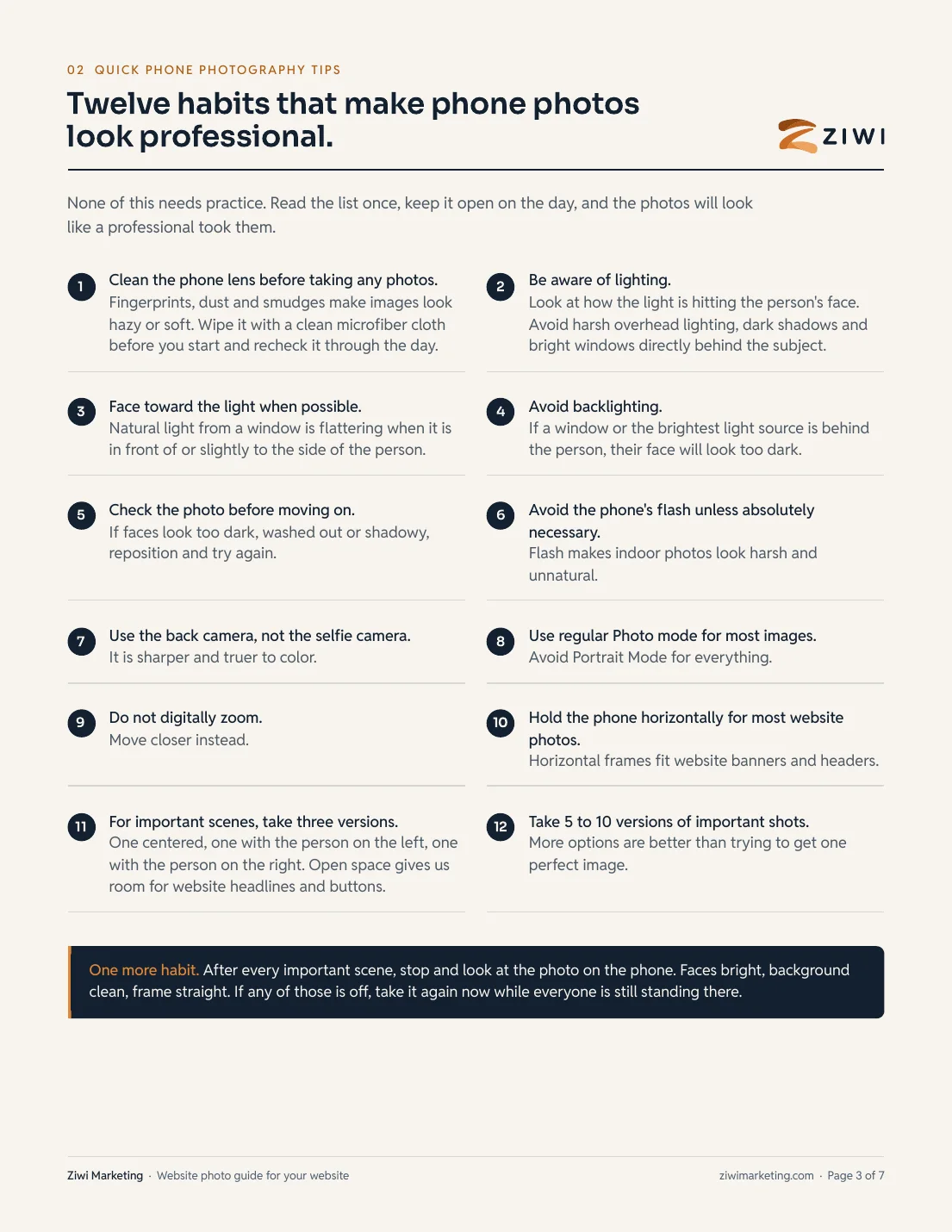
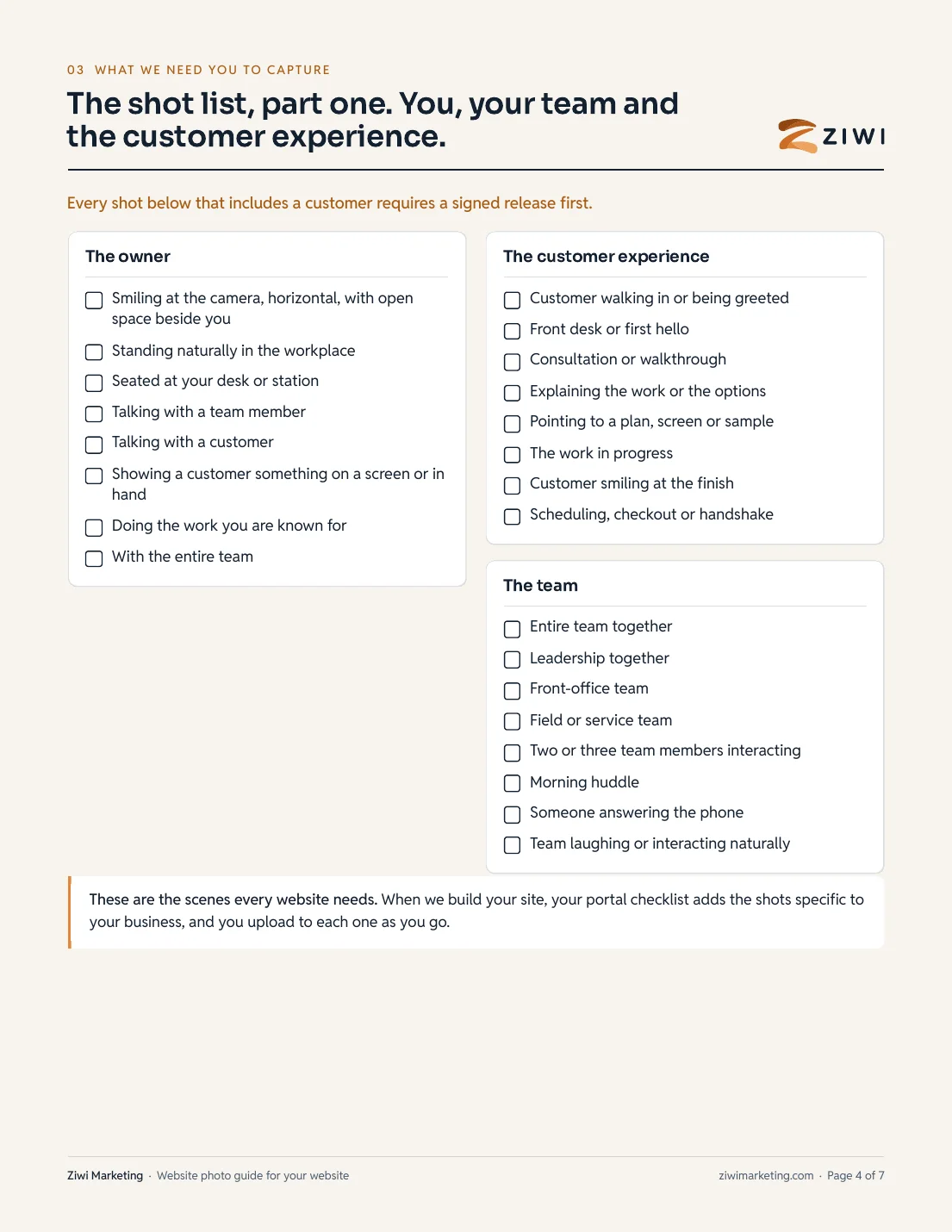
Two ways to get the photos. Follow the guide with your phone and it costs nothing. Or we send a professional photographer for a full day, direct the shot list, and deliver the edited photos to your portal. That starts at $2,000 and the final price depends on your location.
A current smartphone and the guide. Most owners shoot the whole list in one afternoon. Upload the photos to your Ziwi portal and we sort, review and place every one when we build the site.
A professional photographer on site for a full day. We direct the guide's shot list so nothing is missed, and the edited photos land in your portal ready for the website and the ads. Final price set by your location.
Prices and plan terms published here are exact and match our internal pricing catalog; they are not promotional or subject to change after a sales call. Ad spend is billed separately and paid directly to the platforms.
Short answers. If yours is not here, ask us on the call and we answer directly, including when the answer is no.
No. The guide is written for a current smartphone in the hands of you or someone on your team. A professional shoot is nice to have later; real photos of your real business, taken well, beat stock photos on day one. The guide's job is to make sure they are taken well.
We send a professional photographer for a full day at your location, direct the guide's shot list so nothing is missed, and deliver the edited photos to your portal. That starts at $2,000 per location and the final price depends on where you are. Book a call and we print the number before you commit to anything.
Visitors can tell. Stock photos say nothing about your business, and Google's image results and AI answers increasingly favour original images. Your own team, your own space and your own work are the proof a stranger is looking for before they call.
Any phone from the last four or five years. The guide is about habits, not gear: a clean lens, facing the light, the back camera, no zoom, held sideways, several takes. Those matter far more than the model number.
They sign the photo and video release first, every time. The guide includes a one-page release you can print. If you cannot get a signature, a team member stands in; the guide says which shots that works for.
Your name and email. The PDF goes to your inbox and opens on this page the moment you submit. We send two short follow-up emails over the following week, each with a link to stop them, and that is it.
Yes. Upload them to your Ziwi portal and we sort, review and place every one. The website itself is $0 to build on a 12-month plan, $1,000 for a designed template or $2,500 custom, with hosting from $99 a month. Same prices as the pricing page, no quote call.